
Download Sindhi Dictionary – English to Sindhi, Sindhi to English, language learning, bilingual dictionary, word of the day, grammar lessons, quiz, MCQ, live wallpaper, word categories
Overview
The Sindhi Dictionary is a dedicated desktop application designed to support language learning and linguistic exploration between English and Sindhi. Developed by the Sindh Information Technology Board (SITB), this tool aims to bridge communication gaps for users seeking accurate translations and deeper language comprehension. It serves as a comprehensive resource for students, educators, and language enthusiasts who require reliable access to bilingual vocabulary.
The software enables users to search for words in both directions—English to Sindhi and Sindhi to English—facilitating bidirectional language acquisition. Real-world usage scenarios include academic study, cross-cultural communication, and personal language development. The app integrates educational components such as grammar chapters, word of the day, synonyms, and antonyms, making it suitable for structured learning environments.
Its categorization of words into 60 distinct groups enhances organization and retrieval efficiency. The developer did not provide additional system requirements or performance benchmarks. The application is available at no cost, reflecting its commitment to public access and educational outreach.
Key Features & Capabilities
- Bidirectional Dictionary Search – Allows users to look up words in both English and Sindhi, supporting seamless translation between the two languages. This is ideal for learners practicing vocabulary in either direction.
- Word of the Day – Features a daily word with its definition and usage example, encouraging consistent language engagement and vocabulary expansion.
- Synonyms and Antonyms – Provides alternative and opposite terms for each word, helping users understand nuances and improve expressive language skills.
- Grammar Lessons – Includes structured chapters on essential grammar topics such as tenses, sentence structure, and parts of speech to support comprehensive language learning.
- Interactive Quizzes and MCQ Sections – Offers testing modules with multiple-choice questions and a mixer quiz format to assess knowledge retention and reinforce learning.
- 60 Word Categories – Organizes vocabulary into thematic groups for efficient navigation and targeted study sessions.
- Search History and Favorites – Tracks previously searched words for quick access and allows users to save frequently used terms.
- Live Wallpaper Customization – Enables users to set dynamic wallpapers with customizable text and themes, blending functionality with personalization.
- Backup and Restore – Supports data preservation across devices or after system changes, ensuring continuity of user progress and saved entries.
User Interface, Workflow & Performance
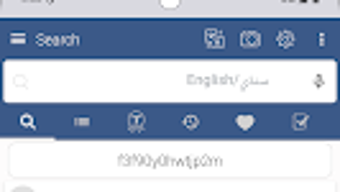
The user interface is structured to prioritize accessibility and intuitive navigation. Core functions such as search, history, and categories are clearly labeled and logically arranged. Users can initiate a search through a prominent input field, with results displayed in a clean, readable format.
The workflow is designed to minimize steps between input and output, enabling rapid access to definitions and related content. Navigation between features like quizzes, grammar lessons, and word categories is streamlined through a bottom or side navigation bar. The application does not specify resource usage details, so performance behavior in terms of CPU or RAM consumption remains unknown.
General software behavior suggests stable operation under normal conditions, though actual performance may vary based on device capabilities. The developer did not provide information on stability under prolonged use or during multitasking. No reports on crashes, freezes, or lag were included in the provided data.
Users can expect a responsive interface if the system meets basic requirements, but exact performance metrics were not specified.
Compatibility & System Requirements
The software is designed for Android operating systems. The version number is listed as 1.0, indicating an initial release. The installation size is 120 MB, which is moderate for a language application with extensive content.
The developer did not specify minimum hardware requirements such as RAM, processor type, or storage capacity. Compatibility information was partially provided, confirming support for Android devices but not detailing specific versions or device types. The application is available for free, which may influence its deployment on a wide range of devices.
Exact system requirements were not listed. Users should ensure their device meets standard Android system specifications to run the app successfully. No information was provided about offline functionality or cloud integration beyond the backup and restore feature.
Pros and Cons
Pros
- Free to download and use, promoting accessibility for all users.
- Bidirectional search supports both English-to-Sindhi and Sindhi-to-English translation.
- Comprehensive vocabulary with 60 categorized word groups for organized learning.
- Includes grammar lessons, quizzes, and interactive MCQs for active learning.
- Features word of the day, synonyms, antonyms, and search history for enhanced engagement.
- Live wallpaper customization adds a personal touch to the user experience.
- Backup and restore functionality ensures data safety and portability.
Cons
- Exact system requirements and performance details were not specified.
- Platform compatibility is limited to Android, with no information on desktop or other OS versions.
- Version 1.0 suggests a foundational release with potential for future updates.
- No details on offline mode beyond basic functionality.
- Availability of real-time voice search was not confirmed for the desktop version.
FAQ Section
Is the Sindhi Dictionary available for Windows or Mac?
The software is currently designed for Android devices. There is no information available about versions for Windows, Mac, or other desktop operating systems.
Is the app secure to download and use?
Developed by the Sindh Information Technology Board (SITB), the app is distributed through official channels. Users should download it from trusted sources to ensure security and authenticity.
Does the app require an internet connection?
The application includes offline features such as word lookup, grammar lessons, and quizzes. However, specific details on internet dependency for certain functions were not provided.
How often are updates released?
The current version is 1.0, indicating an initial release. The update frequency and release schedule are not specified in the available information.
Can I use the app without creating an account?
Yes, the app does not require registration or account creation. Users can access all core features immediately upon installation.
Final Thoughts
The Sindhi Dictionary stands out as a well-rounded educational tool for anyone engaged in learning or preserving the Sindhi language. Its bidirectional search, extensive vocabulary categorization, and integrated grammar and quiz modules make it a valuable asset for students, teachers, and language enthusiasts. The inclusion of features like the word of the day, synonyms, antonyms, and customizable live wallpapers enhances user engagement and personalization.
While the lack of detailed system requirements and desktop compatibility limits its reach, the application’s free access and comprehensive content offer strong value. The developer’s focus on public education through the Sindh Information Technology Board underscores its mission-driven design. For users seeking a reliable, feature-rich bilingual dictionary with interactive learning tools, this software delivers meaningful utility.
Download Sindhi Dictionary now to expand your linguistic capabilities and explore the richness of both English and Sindhi.
Download Sindhi Dictionary now







